5 Warning Signs Your WordPress Site Has Been Hacked (And What to Do Next)
5 Warning Signs Your WordPress Site Has Been Hacked and How to Respond Effectively

In the digital age, maintaining the security of your WordPress site is paramount. Cyber threats are increasingly sophisticated, and recognizing the signs of a hack can be the difference between a quick recovery and significant damage. This article will explore five critical warning signs that indicate your WordPress site may have been compromised, along with actionable steps to take in response. By understanding these signs, you can better protect your website and ensure its integrity. We will cover unusual activity, performance issues, unauthorized access, frequent security alerts, and malware detection, providing you with a comprehensive guide to safeguarding your online presence.

Unusual Activity

Unusual activity on your WordPress site can be a clear indicator of a security breach. This may include unexpected changes in content, layout, or user behavior. Such alterations often signal that unauthorized individuals have gained access to your site. It is crucial to investigate these changes immediately. Check user activity logs to identify any unauthorized modifications and restore content from backups if necessary. By acting swiftly, you can mitigate potential damage and secure your site against further intrusions.

Performance Issues

A sudden slowdown in your site’s performance can also be a sign of hacking. If your website is loading slowly or frequently crashing, it may be due to malicious code or unauthorized scripts running in the background. Running a malware scan is essential to identify and remove any harmful elements. Additionally, optimizing your site’s performance can help restore its functionality. Regular performance checks can prevent these issues from escalating and ensure a smooth user experience.

Unauthorized Access

Unauthorized access is a significant red flag for any website owner. Signs of new user accounts that were not created by you or your team should prompt immediate action. If you notice unfamiliar accounts, delete them right away. Changing passwords for all admin accounts is also crucial to prevent further unauthorized access. Implementing two-factor authentication can add an extra layer of security, making it more difficult for hackers to gain entry.

Frequent Security Alerts

Receiving frequent security alerts about failed login attempts or suspicious activity is another warning sign that your WordPress site may be under attack. Monitoring access logs can help you identify patterns of unauthorized access attempts. Implementing security measures, such as limiting login attempts and using strong passwords, can significantly reduce the risk of a successful breach. Staying vigilant and proactive in your security efforts is essential to maintaining the integrity of your site.

Malware Detection

Malware detection is a critical aspect of website security. If your security plugins report malware, it is vital to follow their instructions to remove the threats. Changing all passwords associated with your site is a necessary precaution. If the issue persists, contacting a security professional can provide expert assistance in resolving the problem. Regular malware scans and updates to your security measures can help prevent future infections and keep your site safe.

What Are the Most Common Signs Your WordPress Site Has Been Compromised?

Identifying the signs of a compromised WordPress site is crucial for timely intervention. Here are the most common indicators:

  1. Unusual Activity: Unexpected changes in content or layout.
  2. Performance Issues: Sudden slowdowns or frequent crashes.
  3. Unauthorized Access: New user accounts not created by you.
  4. Frequent Security Alerts: Notifications about failed login attempts.
  5. Malware Detection: Reports from security plugins about malware.

Recognizing these signs early can help you take swift action to protect your site.

How to Identify Unexpected Redirects and Suspicious Content Changes

Unexpected redirects and suspicious content changes can indicate a hack. Check your site’s URL structure and ensure that all links lead to the intended pages. If you notice any redirects to unfamiliar sites, investigate immediately. Regularly reviewing your content can help you spot unauthorized changes before they escalate.

What Does Slow Performance or Frequent Crashes Indicate?

Slow performance or frequent crashes often indicate underlying issues, such as malware or server overload. Conducting a thorough performance analysis can help identify the root cause. If your site is consistently slow, consider optimizing images, reducing plugins, and upgrading your hosting plan to improve speed and reliability.

What Immediate Actions Should You Take If Your WordPress Site Is Hacked?

If you suspect your WordPress site has been hacked, take immediate action:

  1. Change All Passwords: Update passwords for all accounts associated with your site.
  2. Run a Malware Scan: Use security plugins to identify and remove malware.
  3. Restore from Backup: If necessary, restore your site to a previous version from a backup.
  4. Contact a Professional: If the issue persists, seek help from a WordPress security expert.

These steps can help you regain control of your site and prevent further damage.

How to Secure Your Site and Prevent Further Damage
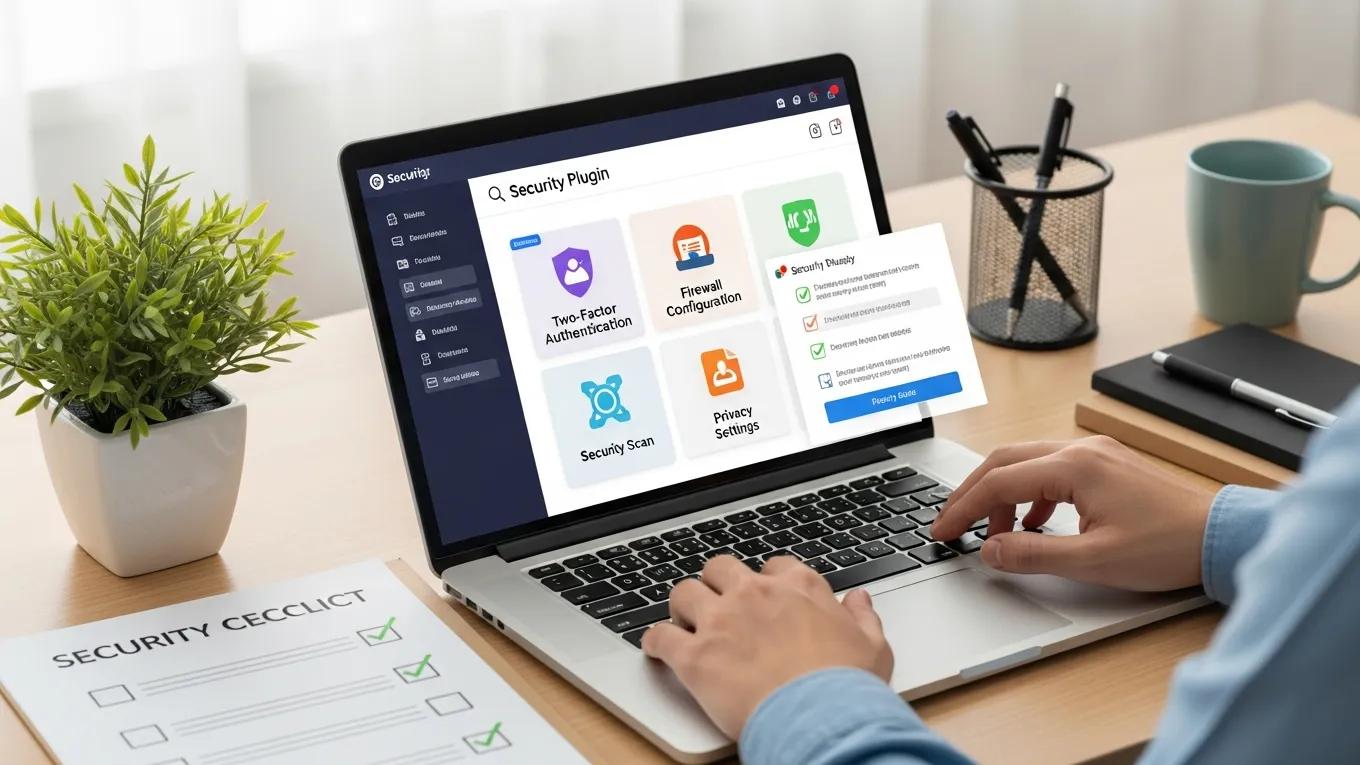
Securing your site involves implementing best practices to protect against future attacks. Regularly update your WordPress core, themes, and plugins to patch vulnerabilities. Use strong, unique passwords and consider employing a security plugin that offers firewall protection and malware scanning. Regular backups can also ensure that you can quickly restore your site in case of a breach.

When and Why to Contact Professional WordPress Security Services

If you encounter persistent issues or lack the expertise to handle a security breach, contacting professional WordPress security services is advisable. These experts can conduct thorough security audits, remove malware, and implement robust security measures tailored to your site’s needs. Their experience can save you time and prevent further complications.

How Can Professional WordPress Security Maintenance Plans Help After a Hack?

Professional WordPress security maintenance plans offer ongoing support to keep your site secure. These plans typically include regular updates, malware scanning, and backup solutions. By investing in a maintenance plan, you can ensure that your site remains protected against evolving threats.

What Does a Comprehensive Malware Removal and Cleanup Include?

A comprehensive malware removal and cleanup process involves several key steps:

  1. Malware Identification: Scanning the site to identify all malicious code.
  2. Code Cleanup: Removing infected files and restoring clean versions.
  3. Security Hardening: Implementing measures to prevent future infections.
  4. Monitoring: Setting up ongoing monitoring to detect future threats.

This thorough approach ensures that your site is not only cleaned but also fortified against future attacks.

How Ongoing Monitoring Prevents Future WordPress Security Issues

Ongoing monitoring is essential for maintaining website security. By continuously checking for vulnerabilities and suspicious activity, you can address potential threats before they escalate. Many security services offer monitoring solutions that alert you to any unusual behavior, allowing for prompt action.

What Are the Best Practices to Prevent Future WordPress Hacks?

To prevent future hacks, consider these best practices:

  1. Regular Updates: Keep WordPress, themes, and plugins updated.
  2. Strong Passwords: Use complex passwords and change them regularly.
  3. Limit User Access: Only grant access to trusted individuals.
  4. Backup Regularly: Ensure you have recent backups to restore from if needed.

Implementing these practices can significantly reduce the risk of a successful attack.

Which Security Plugins and Updates Are Essential for Protection?

Several security plugins are essential for protecting your WordPress site:

  1. Wordfence Security: Offers firewall protection and malware scanning.
  2. Sucuri Security: Provides comprehensive security monitoring and cleanup services.
  3. iThemes Security: Focuses on hardening your site against attacks.

Regularly updating these plugins ensures that you benefit from the latest security features and patches.

How Regular Maintenance and Vulnerability Scanning Reduce Risks

Regular maintenance and vulnerability scanning are crucial for identifying and addressing potential security issues. By conducting routine checks, you can discover vulnerabilities before they are exploited. This proactive approach helps maintain the integrity of your site and protects your data.

Different WordPress security services offer various features to enhance your site’s protection.

ServiceFeatureBenefit
WordfenceFirewall ProtectionBlocks malicious traffic
SucuriMalware ScanningIdentifies and removes threats
iThemes SecurityTwo-Factor AuthenticationAdds an extra layer of security
Secure WP Solutions
Privacy Overview

This website uses cookies so that we can provide you with the best user experience possible. Cookie information is stored in your browser and performs functions such as recognising you when you return to our website and helping our team to understand which sections of the website you find most interesting and useful.