

Why Regular WordPress Backups Are Essential for Business Websites

Why Regular WordPress Backups Are Essential for Business Websites: Reliable Backup Solutions for Data Protection

By Support Team, Secure WP Solutions

In the digital landscape, the security of business websites hinges significantly on the reliability of their backup solutions. Regular WordPress backups are not just a precaution; they are a fundamental aspect of data protection that ensures business continuity. This article will delve into the importance of reliable backup solutions, the potential risks associated with data loss, and best practices for implementing effective backup strategies. By understanding these elements, businesses can safeguard their online presence against unforeseen challenges.

The necessity of regular backups becomes evident when considering the various threats that can compromise website data. Cyber threats, server failures, and human errors can lead to significant operational disruptions. This article will explore how regular backups can mitigate these risks and support business continuity, ensuring that companies can recover swiftly from any data loss incidents. Additionally, we will discuss the advantages of automated backup solutions and how they enhance website protection.

Importance of Reliable Backup Solutions for Data Protection

Reliable backup solutions are crucial for protecting business data from loss or corruption. They serve as a safety net, allowing businesses to restore their websites to a previous state in the event of data loss. Automated systems ensure that backups are performed consistently, reducing the risk of human error and ensuring that the most recent data is always available for recovery. This reliability is essential for maintaining customer trust and operational efficiency.

Further emphasizing the role of automation in maintaining website integrity, research highlights strategies for small and medium-sized enterprises.

WordPress Maintenance & Automated Backup Strategies for SMEs

This thesis explores WordPress website maintenance strategies and tools to automate and supplement manual testing while trying to be cost-effective and have the WordPress websites

How small and medium-sized enterprises work on WordPress website maintenance and resource-efficient strategies and tools for automation, 2025

Potential Risks Associated with Data Loss

Without regular backups, businesses face several risks that can have dire consequences. Operational disruptions can lead to downtime, affecting customer access and potentially resulting in lost revenue. Additionally, data loss can damage a company’s reputation, eroding customer trust. Financial consequences can also arise from the costs associated with data recovery efforts and potential legal liabilities. Understanding these risks underscores the importance of implementing a robust backup strategy.

Best Practices for Implementing Effective Backup Strategies
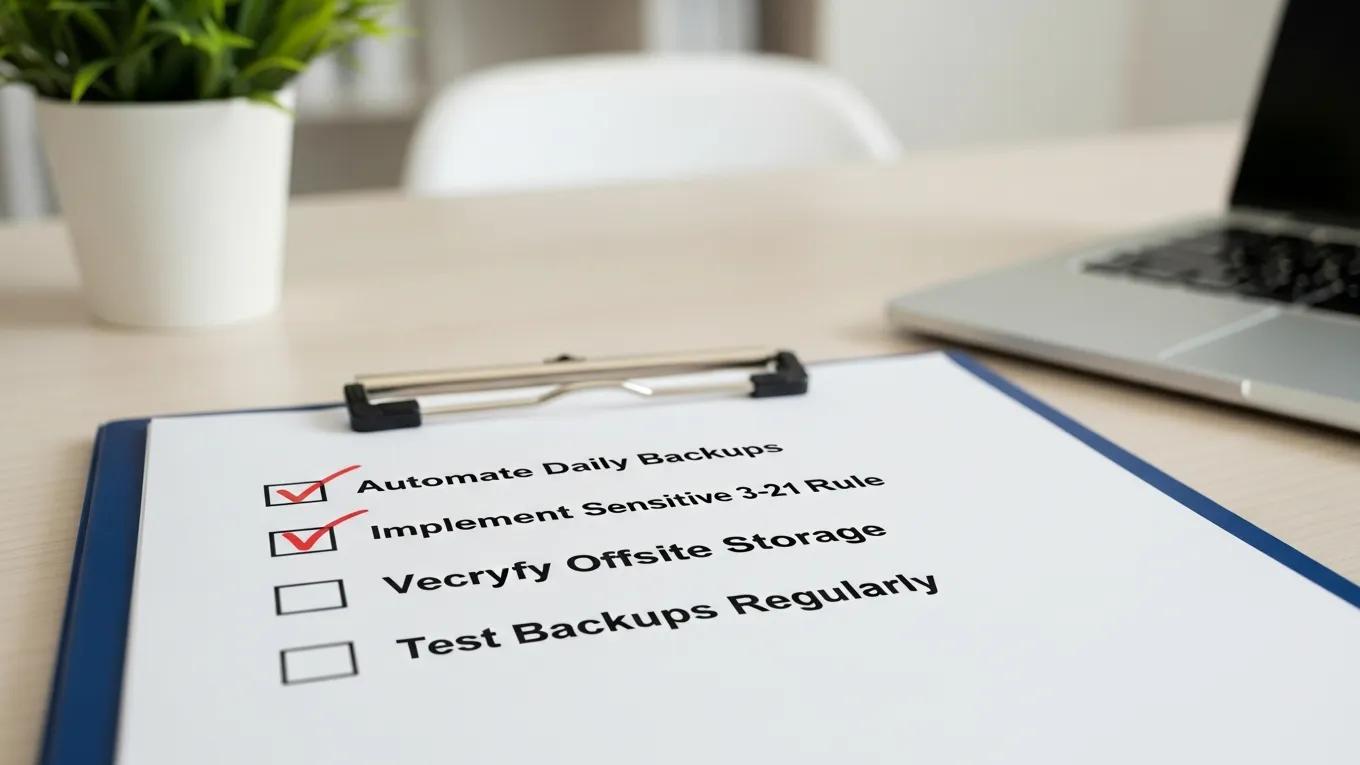
Implementing effective backup strategies involves several best practices that can significantly enhance data protection. Here are key recommendations:

  1. Automate Daily Backups: Setting up automated backups ensures that data is consistently saved without relying on manual intervention.
  2. Utilize Off-Site Cloud Storage: Storing backups in the cloud protects data from local disasters and provides easy access for recovery.
  3. Regularly Test Backups: Periodically testing backup restoration processes ensures that data can be recovered quickly and effectively when needed.

Secure WP Solutions specializes in providing tailored WordPress backup services that align with these best practices, ensuring that businesses can focus on their core operations without worrying about data loss.

What Are the Key Benefits of Regular WordPress Backups for Business Websites?

Regular WordPress backups offer several key benefits that enhance data security and operational resilience. Firstly, they provide peace of mind, knowing that data can be restored quickly in case of an incident. Secondly, backups improve recovery options, allowing businesses to choose from various restore points based on their needs. Lastly, regular backups can positively impact website performance by ensuring that the latest updates and changes are preserved.

How Do Backups Support Business Continuity and Data Security?

Backups play a vital role in supporting business continuity by ensuring that critical data is always available for recovery. In the event of a cyber attack or data corruption, having recent backups allows businesses to restore their operations with minimal disruption. This capability not only protects data but also enhances overall data security by providing a fallback option against various threats.

This concept of maintaining continuous operations through robust systems is further explored in studies on operational resilience.

Operational Resilience & Backup Supply for Robust Systems

Results indicate that desired resilience and robustness levels are achievable by trading off different design parameters, such as redundancy, node recovery time and backup supply available. The nonlinear relationship between network parameters and resilience levels confirms the utility of the proposed approach, which is of benefit to analysts and designers of complex systems and networks.

Operational resilience: concepts, design and analysis, AA Ganin, 2016

What Risks Do Regular Backups Mitigate for WordPress Sites?

Regular backups mitigate several risks associated with WordPress sites, including:

  • Hacking: In the event of a security breach, backups allow for a quick restoration to a secure state.
  • Server Failures: Hardware malfunctions can lead to data loss; backups ensure that data is not permanently lost.
  • Human Errors: Mistakes in data entry or updates can be corrected by restoring from a previous backup.

By addressing these risks, businesses can maintain a secure and reliable online presence.

How Can Automated WordPress Backup Solutions Enhance Website Protection?

Automated WordPress backup solutions enhance website protection by minimizing the risk of human error and ensuring that backups are performed consistently. These solutions can be scheduled to run at regular intervals, providing businesses with the assurance that their data is always up to date. Additionally, automated backups can be configured to store data in multiple locations, further enhancing security.

What Are the Advantages of Automated Backup Scheduling?

Automated backup scheduling offers several advantages:

  1. Efficiency: Saves time by eliminating the need for manual backups.
  2. Data Security: Ensures that backups are performed regularly without fail.
  3. Improvements in Recovery Time: Quick access to the latest backups reduces downtime during recovery.

Which Cloud and Local Storage Options Secure Backup Data Effectively?

When it comes to securing backup data, businesses have several options to consider:

  • Cloud Storage: Services like Amazon S3 and Google Drive offer scalable solutions for storing backups off-site.
  • Local Storage: External hard drives and network-attached storage (NAS) devices provide quick access to backups but may be vulnerable to local disasters.

Choosing the right storage solution depends on the specific needs and resources of the business.

What Are Best Practices for WordPress Backup Frequency and Disaster Recovery?

Establishing best practices for backup frequency and disaster recovery is essential for effective data protection. Recommendations include:

  • Daily Backups for Active Sites: Websites with frequent updates should be backed up daily to capture all changes.
  • Automated Systems: Implementing automated backup solutions ensures consistency and reliability.
  • Regular Testing: Testing the restoration process helps identify any issues before a real recovery is needed.

How Often Should Business Websites Perform WordPress Backups?

Business websites should perform WordPress backups at least daily, especially if they are frequently updated. Factors influencing backup schedules include the volume of content changes, the nature of the business, and the potential impact of data loss. Regular backups ensure that businesses can recover quickly from any incidents.

What Steps Are Involved in Effective WordPress Disaster Recovery Planning?

Effective WordPress disaster recovery planning involves several key steps:

  1. Identify Critical Data: Determine which data is essential for business operations.
  2. Establish Backup Procedures: Create a schedule for regular backups and choose appropriate storage solutions.
  3. Test Recovery Processes: Regularly test the restoration of backups to ensure they work as intended.

How to Choose the Right WordPress Backup Service for Your Business Website?

Choosing the right WordPress backup service involves evaluating several factors:

  • Automated Daily Backups: Look for services that offer automated solutions to ensure consistency.
  • Off-Site Cloud Storage: Ensure that the service provides secure off-site storage options.
  • Regular Testing: Choose a service that allows for regular testing of backup restorations.

What Features Differentiate Reliable WordPress Backup Plugins and Services?

Reliable WordPress backup plugins and services offer distinct features that enhance their effectiveness:

  • Automated Daily Backups: Essential for ensuring data is consistently saved.
  • Off-Site Storage: Protects data from local disasters.
  • Regular Testing Options: Allows businesses to verify the integrity of their backups.

How Do Backup Services Integrate with Security and Maintenance Plans?

Backup services can be integrated with security and maintenance plans to provide comprehensive protection for WordPress sites. This integration ensures that backups are performed regularly and that security measures are in place to protect against threats. By combining these services, businesses can enhance their overall data protection strategy.

Different backup solutions offer various features that cater to the specific needs of businesses. Below is a comparison of some popular backup solutions:

Backup SolutionKey FeaturesPricing
Secure WP SolutionsAutomated backups, off-site storageContact for pricing
UpdraftPlusScheduled backups, cloud storage integrationFree with premium options
BackupBuddyComplete site backups, migration featuresStarts at $80/year
Secure WP Solutions
Privacy Overview

This website uses cookies so that we can provide you with the best user experience possible. Cookie information is stored in your browser and performs functions such as recognising you when you return to our website and helping our team to understand which sections of the website you find most interesting and useful.