How WordPress Website Backups Work and What They Actually Save

How WordPress Website Backups Work and What They Actually Save: A Clear Guide to Backup Components and Restoration

WordPress website backups are essential for maintaining the integrity and security of your online presence. They serve as a safety net, ensuring that your data is preserved in case of unexpected events such as server failures, hacking attempts, or accidental deletions. This article will delve into how WordPress backups function, the components they include, and the processes involved in both backing up and restoring your website. By understanding these elements, you can better appreciate the importance of regular backups and how they can protect your valuable content. We will explore the components included in backups, the data saved, the backup process, the restoration process, and the significance of maintaining a consistent backup schedule.

Components Included in Backups

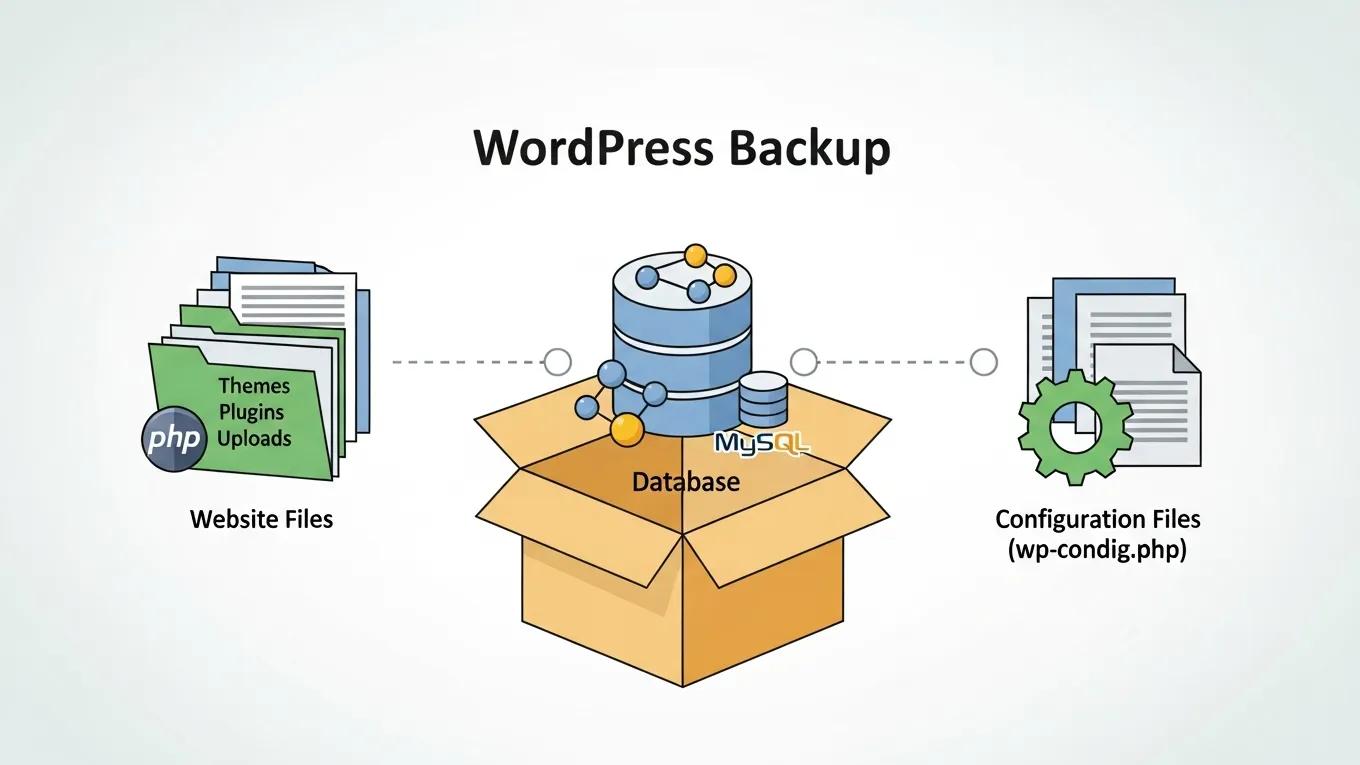
WordPress backups typically encompass several critical components that ensure a complete restoration of your website. These components include:

  • Website Files: This category includes themes, plugins, and media uploads that contribute to the visual and functional aspects of your site.
  • Database: The database is a crucial part of your backup, containing all your content, settings, and user information.
  • Configuration Files: These files dictate how your website operates, including settings for plugins and themes.

Understanding these components is vital for ensuring that your backups are comprehensive and effective.

Data Saved in Backups

When a backup is created, it preserves various types of data essential for your website’s functionality. The data saved in backups includes:

  • Content: This encompasses all text, images, and media files that make up your website's pages and posts.
  • Settings: Backups also save the configurations for themes and plugins, ensuring that your site retains its design and functionality after restoration.
  • User Data: Any custom code or user-generated content is included in the backup, allowing for a complete recovery of your site's interactive features.

By saving this data, backups ensure that you can restore your website to its previous state without losing any critical information.

Backup Process

The backup process involves several steps to ensure that your website’s data is securely saved. Here’s a breakdown of the typical backup process:

  1. Initial Setup: Assessing your website's needs is crucial for determining the appropriate backup strategy.
  2. Automated Daily Backups: Implementing automated daily backups ensures that your data is consistently saved without manual intervention.
  3. Notifications: Keeping clients informed about backup status through notifications helps maintain transparency and trust.

For those looking for expert assistance, Secure WP Solutions offers specialized WordPress maintenance and security services, including comprehensive backup solutions tailored to your needs.

Restoration Process

Restoring a WordPress backup is a critical process that allows you to recover your website after data loss. The restoration process typically involves:

  • Identifying the Need for Restoration: Recognizing when a restoration is necessary is the first step in the process.
  • Client-Initiated Restoration: Clients can initiate the restoration process, making it a straightforward task.
  • Regular Testing: Conducting regular tests of the restoration process ensures that backups can be restored quickly and accurately when needed.

This proactive approach to restoration minimizes downtime and helps maintain your website’s availability.

Importance of Regular Backups

Regular backups are essential for several reasons:

  • Safety Net Against Data Loss: Backups provide a crucial safety net, allowing you to recover from data loss due to various unforeseen circumstances.
  • Minimized Downtime and Revenue Loss: By having a reliable backup system in place, you can significantly reduce downtime, which in turn minimizes potential revenue loss.
  • Automated Systems: Implementing automated backup systems ensures that your data is consistently backed up without requiring constant oversight.

In conclusion, understanding how WordPress backups work and the importance of regular backups is vital for any website owner. By ensuring that your website is backed up regularly, you can protect your valuable data and maintain your online presence with confidence.

For more insights on maintaining your website’s security and performance, exploring BackupWordPress can be highly beneficial.

Additionally, leveraging reliable WordPress backup plugins can simplify the backup and restoration process, ensuring your data is always protected.

Secure WP Solutions
Privacy Overview

This website uses cookies so that we can provide you with the best user experience possible. Cookie information is stored in your browser and performs functions such as recognising you when you return to our website and helping our team to understand which sections of the website you find most interesting and useful.