Optimize Your Business with WooCommerce Maintenance Services

WooCommerce Maintenance Checklist: Essential Steps to Keep Your Online Store Running Smoothly

Maintaining a WooCommerce store is crucial for ensuring a seamless shopping experience for customers and optimizing operational efficiency. This article provides a comprehensive checklist that covers essential maintenance tasks, including routine updates, performance monitoring, and security measures. By following these guidelines, store owners can prevent common issues that may disrupt their online business. Many WooCommerce users face challenges such as outdated plugins, slow loading times, and security vulnerabilities. This checklist serves as a proactive solution to these problems, helping you keep your store running smoothly. We will explore various aspects of WooCommerce maintenance, including expert support and customized plans tailored to your business needs.

WooCommerce Maintenance Checklist

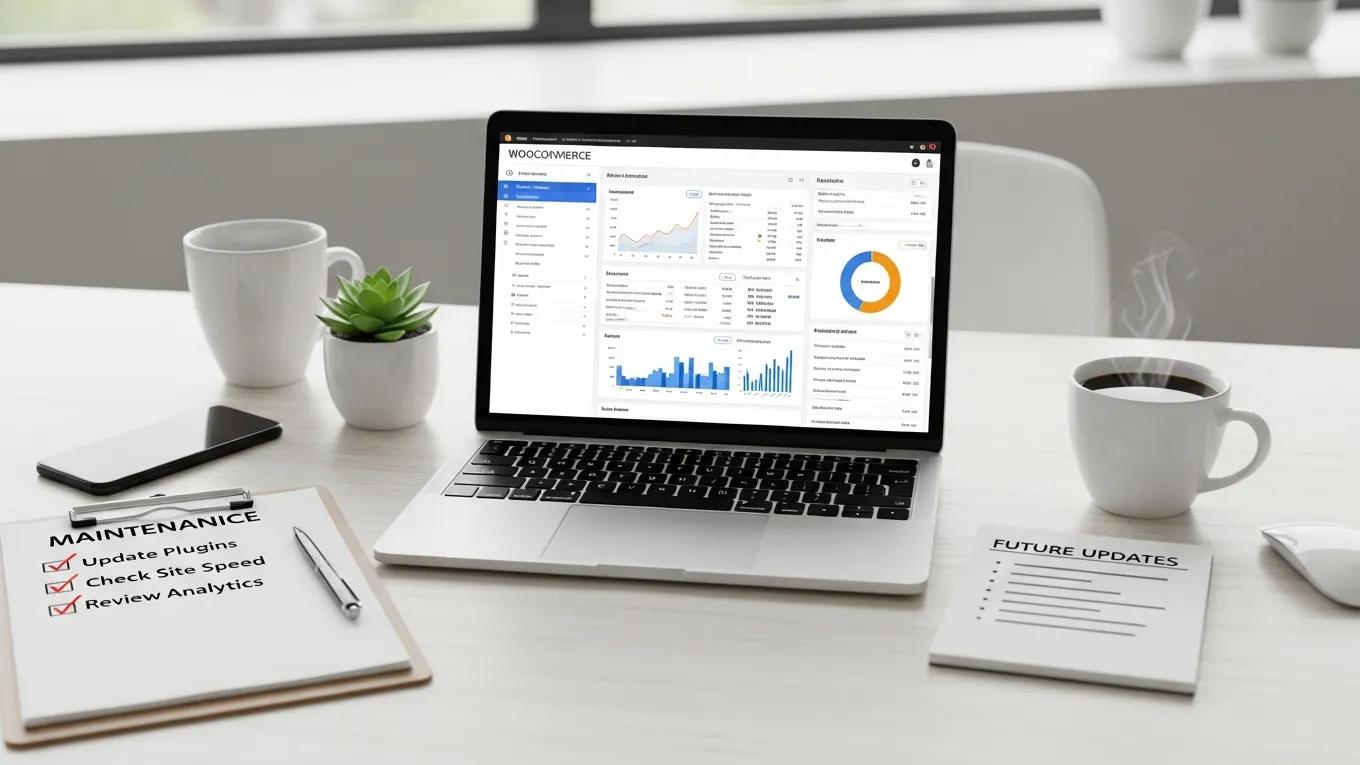
A well-structured maintenance checklist is vital for the longevity and performance of your WooCommerce store. Regular maintenance tasks ensure that your website remains secure, fast, and user-friendly. Here are the key components of an effective WooCommerce maintenance checklist:

Routine Updates

Routine updates are crucial for keeping your WooCommerce store secure and functional. Regularly updating plugins and themes helps prevent compatibility issues and security vulnerabilities. It is recommended to check for critical updates weekly and perform general updates monthly. This proactive approach ensures that your store benefits from the latest features and security patches.

Performance Monitoring

Performance monitoring is essential for maintaining a high-quality user experience. Conducting monthly performance audits allows you to identify and address any issues that may affect loading times or overall site functionality. Implementing caching solutions can significantly enhance your store’s speed, ensuring that customers have a smooth shopping experience.

Security Measures

Implementing robust security measures is vital for protecting your WooCommerce store from potential threats. Performing weekly security checks helps identify vulnerabilities before they can be exploited. Additionally, ensuring strong password policies and utilizing security plugins can further safeguard your online store against unauthorized access.

Enhancements for Customer Experience

Improving user experience through website optimization is a key aspect of WooCommerce maintenance. Optimizing website loading speeds and regularly updating content can significantly enhance customer satisfaction. Engaging with customer feedback and making necessary adjustments can also lead to a more enjoyable shopping experience.

Proactive Monitoring

Continuous health checks for your website are essential for identifying potential issues before they escalate. Utilizing monitoring tools can help you stay informed about your site’s performance and security status. Setting up alerts for potential issues ensures that you can address them promptly, minimizing downtime and disruption.

Expert Support

Having access to professional support is invaluable for WooCommerce store owners. Expert maintenance plans can provide troubleshooting assistance and ensure that your store operates smoothly. Consider personalized maintenance plans that cater to your specific business needs, allowing you to focus on growth while experts handle the technical aspects.

Customized Plans

Tailoring maintenance plans to your business needs is essential for effective WooCommerce management. Assessing your specific requirements and ensuring comprehensive coverage can help you avoid common pitfalls. Customized plans allow for flexibility and adaptability, ensuring that your store remains competitive in the ever-evolving eCommerce landscape.

How Often Should You Perform WooCommerce Plugin and Core Updates?

To maintain optimal performance, it is essential to check for updates at least once a month. Regularly reviewing plugin updates weekly can help you stay ahead of potential issues. This proactive approach ensures that your WooCommerce store benefits from the latest features and security enhancements, ultimately improving the overall user experience.

What Are the Risks of Delaying WooCommerce Updates?

Delaying WooCommerce updates can lead to several risks, including increased security vulnerabilities and compatibility issues. Outdated plugins and themes may not function correctly with the latest version of WooCommerce, potentially causing disruptions to your online store. Regular updates are essential for maintaining a secure and efficient eCommerce platform.

How to Schedule Regular Updates for Optimal Store Performance

Setting specific times for updates can help streamline the maintenance process. Using staging environments for testing updates before applying them to your live site can prevent potential disruptions. This approach ensures that your store remains functional while you implement necessary changes.

What Are the Best Practices for WooCommerce Security Monitoring?

Conducting routine security checks is a fundamental best practice for WooCommerce security monitoring. Implementing strong password policies and utilizing security plugins can significantly enhance your store’s protection against threats. Regularly reviewing your security measures ensures that you stay ahead of potential vulnerabilities.

Which Security Services Protect Your WooCommerce Store Effectively?

Utilizing security plugins for monitoring is an effective way to protect your WooCommerce store. Additionally, considering two-factor authentication can add an extra layer of security. These measures help safeguard your online business from unauthorized access and potential data breaches.

How to Detect and Prevent Common WooCommerce Security Threats

Regularly updating security measures is crucial for detecting and preventing common WooCommerce security threats. Educating users on security best practices can also help mitigate risks. By staying informed about potential vulnerabilities, you can take proactive steps to protect your store.

How Can You Implement Reliable Backup Strategies for WooCommerce Stores?

Setting up automated daily backups is essential for ensuring data safety in your WooCommerce store. Utilizing off-site cloud storage can provide an additional layer of security for your data. These strategies help safeguard your business against data loss and ensure that you can quickly recover in case of an emergency.

What Backup Methods Ensure Data Safety for Your Online Store?

Conducting regular testing of restorations is vital for ensuring that your backup methods are effective. Implementing notifications for backup status can help you stay informed about the health of your data. These practices ensure that your WooCommerce store remains secure and that you can recover quickly if needed.

How Often Should You Test WooCommerce Backup Restorations?

Testing restorations regularly is essential for ensuring that your backups are functional. Ensuring that backups are operational can prevent potential data loss and provide peace of mind. This proactive approach is crucial for maintaining the integrity of your WooCommerce store.

What Performance Optimization Techniques Enhance WooCommerce Store Speed?

Implementing caching solutions is one of the most effective performance optimization techniques for enhancing WooCommerce store speed. Additionally, optimizing images for faster loading can significantly improve user experience. These strategies help ensure that your store remains competitive in the fast-paced eCommerce environment.

Which Tools Help Monitor WooCommerce Store Performance?

Using tools like Google PageSpeed Insights can provide valuable insights into your WooCommerce store’s performance. Monitoring with GTmetrix can help you identify areas for improvement. These tools are essential for maintaining optimal performance and ensuring a seamless shopping experience for your customers.

How to Troubleshoot Common WooCommerce Performance Issues

Identifying common performance bottlenecks is crucial for troubleshooting issues in your WooCommerce store. Implementing solutions for speed improvements can help enhance overall site performance. By addressing these issues promptly, you can ensure that your store remains efficient and user-friendly.

Secure WP Solutions
Privacy Overview

This website uses cookies so that we can provide you with the best user experience possible. Cookie information is stored in your browser and performs functions such as recognising you when you return to our website and helping our team to understand which sections of the website you find most interesting and useful.