

What Is a Staging Environment and Why Should You Test Updates There First?

What Is a WordPress Staging Environment and Why Test Updates There First?

A WordPress staging environment is a crucial tool for website owners and developers, allowing them to test updates and changes in a safe, controlled setting before applying them to the live site. This practice not only helps in identifying potential issues but also ensures that the user experience remains uninterrupted. In this article, we will explore the concept of a staging environment, its benefits, and the best practices for testing updates effectively. By understanding the importance of a staging environment, you can mitigate risks associated with website updates and enhance your site’s overall performance.

What Is a WordPress Staging Environment?

A WordPress staging environment is a clone of your live website where you can test changes, updates, and new features without affecting the live site. This environment mimics the live site’s functionality and design, allowing developers to experiment freely. The primary purpose of a staging environment is to ensure that any updates or changes do not disrupt the user experience or cause downtime. By isolating the testing process, website owners can identify and resolve issues before they impact visitors.

Benefits of a WordPress Staging Environment:
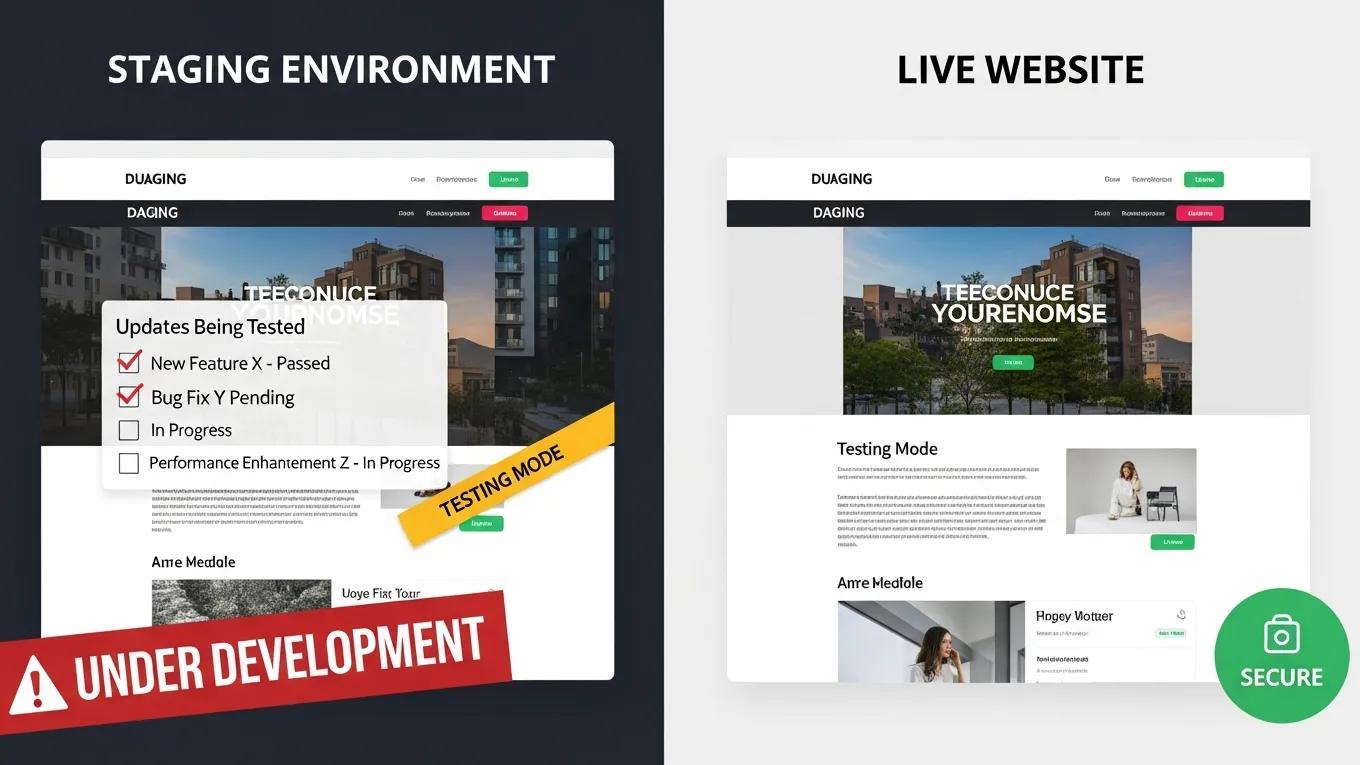
Utilizing a WordPress staging environment offers several advantages that can significantly enhance website management:

  1. Risk Mitigation: Testing updates in a staging environment reduces the risk of introducing errors to the live site, which can lead to downtime or functionality issues.
  2. Quality Assurance: A staging environment allows for thorough testing of new features and updates, ensuring they work as intended before going live.
  3. User Experience Protection: By preventing potential disruptions on the live site, a staging environment helps maintain a seamless user experience.

Secure WP Solutions emphasizes the importance of having a robust maintenance and security plan in place, especially for small to medium-sized businesses. This ensures that your website remains secure and functional, even during updates.

Why Should You Test WordPress Updates in a Staging Environment First?

Testing updates in a staging environment is essential for several reasons. It allows you to prevent downtime, ensure backup assurance, and conduct necessary security checks before changes go live.

How Does Staging Prevent Live Site Downtime and Security Risks?

A staging environment helps prevent live site downtime by allowing you to test updates thoroughly before implementation. This proactive approach ensures that any potential issues are identified and resolved in advance. Additionally, staging environments can be used to conduct security checks, ensuring that updates do not introduce vulnerabilities. By testing updates in a controlled setting, you can optimize performance and maintain a secure website.

Ensuring optimal web performance is a continuous effort, as every update can significantly impact a site’s speed and user experience.

Web Performance: Testing Updates for Speed & User Experience

Performance is critical to the success of any web site, and yet today’s web applications push the limits of what browsers can do. We have to be vigilant about the impact of each bug fix, new feature, and system upgrade on our web site’s speed.

Even faster web sites: performance best practices for web developers, 2009

What Are the Common Risks of Updating Without a Staging Site?

Updating a WordPress site without a staging environment can lead to several risks, including:

  1. Potential Downtime: Errors introduced during updates can cause the site to go offline, affecting user access and potentially leading to lost revenue.
  2. Security Vulnerabilities: Unchecked updates may introduce security flaws, making the site susceptible to attacks.
  3. User Experience Issues: Changes that disrupt functionality can frustrate users, leading to a negative perception of the brand.

How Do You Create a WordPress Staging Environment?
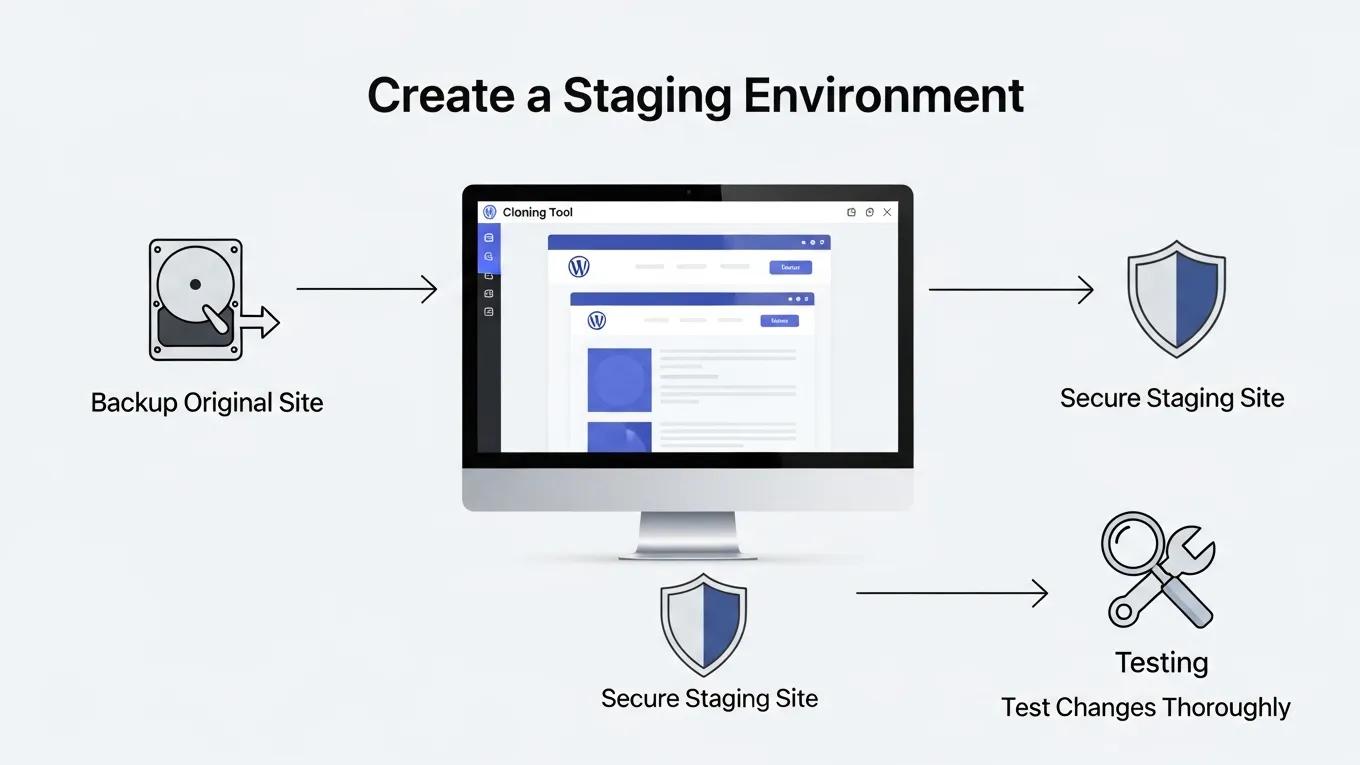
Creating a WordPress staging environment involves several steps to ensure it functions correctly and mirrors the live site.

What Are the Best Practices for Setting Up a Staging Site?

When setting up a staging site, consider the following best practices:

  1. Regular Backups: Always back up your live site before making changes in the staging environment to prevent data loss.
  2. Security Measures: Implement security protocols to protect the staging site from unauthorized access.
  3. Testing Protocols: Establish clear testing protocols to ensure all updates are thoroughly evaluated before going live.

How Can You Clone Your Live Site Safely to Staging?

Cloning your live site to a staging environment can be done using various tools and plugins. Here are some steps to follow:

  1. Choose a Cloning Tool: Select a reliable plugin or tool designed for cloning WordPress sites.
  2. Follow the Cloning Process: Use the tool to create a duplicate of your live site, ensuring all files and databases are included.
  3. Test the Cloned Site: Once cloned, test the staging site to confirm it functions as expected before making any updates.

For detailed pricing information, Ahrefs offers transparent tier-based plans that cater to different user needs, making it easier to choose the right option for your website management.

What Are the Best Practices for Testing Updates in a WordPress Staging Environment?

Testing updates in a staging environment requires a systematic approach to ensure effectiveness.

How Should You Test Plugins, Themes, and Core Updates?

When testing updates, follow these strategies:

  1. Isolate Changes: Test one update at a time to identify any issues that arise.
  2. Document Results: Keep a record of any changes made and their outcomes to track performance.
  3. Conduct User Testing: Involve real users in testing to gather feedback on functionality and usability.

Secure WP Solutions emphasizes the importance of having a robust maintenance and security plan in place, especially for small to medium-sized businesses. This ensures that your website remains secure and functional, even during updates.

What Backup and Security Measures Should Accompany Staging Testing?

Implementing backup and security measures is crucial during staging testing. Consider the following:

  1. Regular Backups: Schedule frequent backups of both the staging and live sites to safeguard against data loss.
  2. Security Monitoring: Use security plugins to monitor for vulnerabilities during the testing phase.
  3. User Education: Educate team members on the importance of security practices when working in the staging environment.

Different benefits of using a staging environment can be summarized as follows:

BenefitDescriptionImpact Level
Risk MitigationReduces the chance of errors affecting the live siteHigh
Quality AssuranceEnsures updates function correctly before going liveHigh
User Experience ProtectionMaintains a seamless experience for visitorsHigh

By understanding and implementing a WordPress staging environment, website owners can significantly enhance their site’s reliability and security. This proactive approach to website management not only protects the user experience but also fosters a more efficient development process.

For a comprehensive comparison of SEO tools, including features and pricing, Moz Pro provides valuable insights that can help you choose the best solution for your website optimization needs.

Additionally, Semrush offers a wide range of features designed to improve your site’s SEO performance, making it a popular choice among digital marketers and developers alike.

Secure WP Solutions
Privacy Overview

This website uses cookies so that we can provide you with the best user experience possible. Cookie information is stored in your browser and performs functions such as recognising you when you return to our website and helping our team to understand which sections of the website you find most interesting and useful.